New: go-live runbooks
For teams that deliver projects on time.
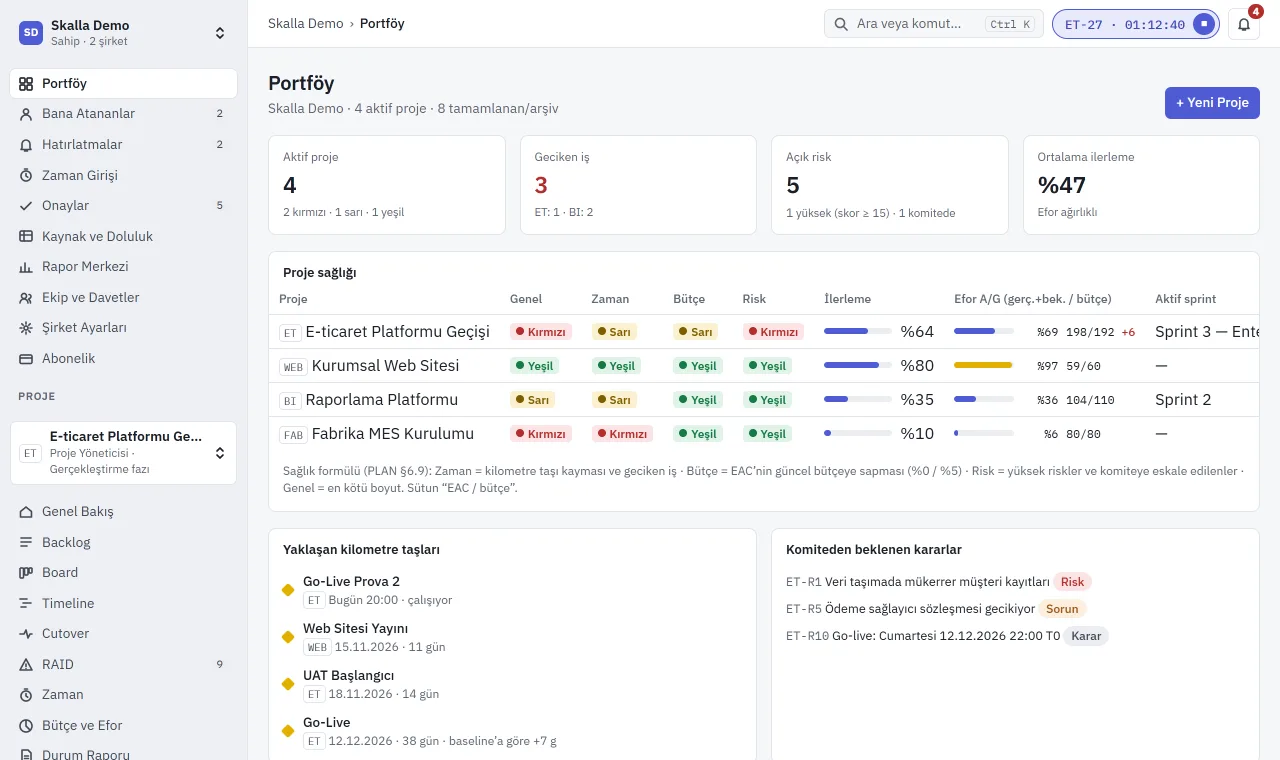
Cleno brings backlog, time entry and approval, resource utilisation, budget and go-live plans into one app. Software, consulting, agency or in-house work: the budget moves the moment someone logs time, and the forecast finish moves the moment a step slips.
- 4 products · 1 team
- Turkish interface
- Two-factor sign-in
- Row-level data isolation
- Data: EU (Frankfurt)
Short answer
What is Cleno?
Cleno is a web-based project management application built for project-based teams. It manages portfolio health, backlog and sprints, the team's time entry and approval, weekly resource utilisation, man-day budget, RAID log and go-live plans on the same data. It works across industries and project types: software delivery, system implementation, client projects, internal transformation or a launch. It is developed by Skalla and has been live on conselus.ai since 14 November 2026.
- Who it's for
- Project-based teams in any industry
- Platform
- Web (desktop, tablet, phone)
- Interface
- Turkish
- Data location
- European Union, Frankfurt
Who uses it
- IT and software services firmsSprints, hours and budget on client projects; go-live plans for release nights.
- System integratorsPhases, utilisation and go-live rehearsals on ERP, CRM and data projects.
- ConsultanciesTime approval, EAC and CPI on fixed-price or time-and-materials work.
- Digital and creative agenciesTeam utilisation and margin across parallel client jobs.
- Engineering and project officesMilestones, risks and guest access for the client side.
- In-house PMOs and IT teamsPortfolio health, transformation and migration projects, management reporting.
Inside Cleno: four jobs that sprawl across spreadsheets and email, in one place
Module 01
Go-live plans, to the minute
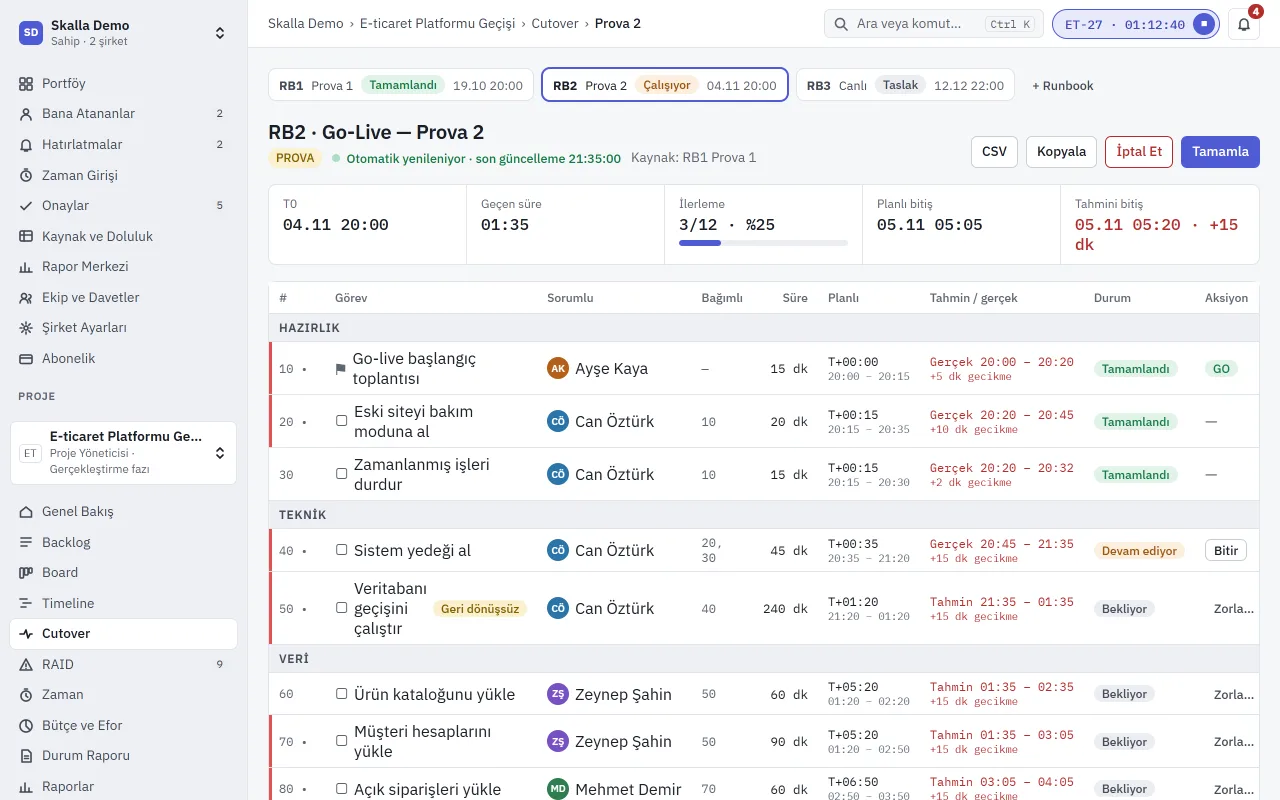
Every go-live step is planned against T0: owner, dependency, duration, planned and actual time. When a step slips, the forecast finish moves with it, and you compare rehearsal 1 with rehearsal 2 side by side.
- Separate runbooks for rehearsal and go-live
- GO / NO-GO decisions for irreversible steps
- Auto-refreshing status and CSV export
Module 02
Who is booked, which week, how much
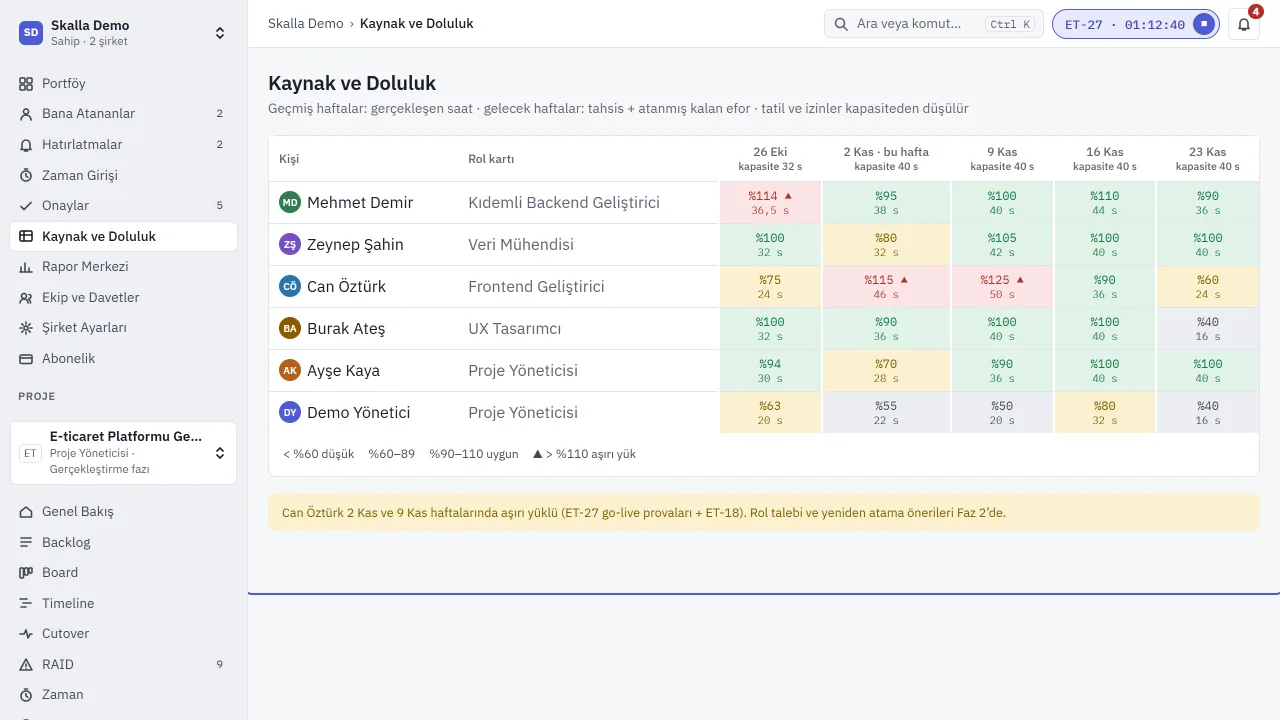
Actual hours for past weeks, allocation and remaining effort for upcoming ones. Holidays and leave come off capacity; anyone above 110% turns red, so overload before a delivery week is visible early.
- Role card and weekly capacity
- Over- and under-utilisation alerts
- Totals across projects
Module 03
Budget in man-days, EAC and CPI
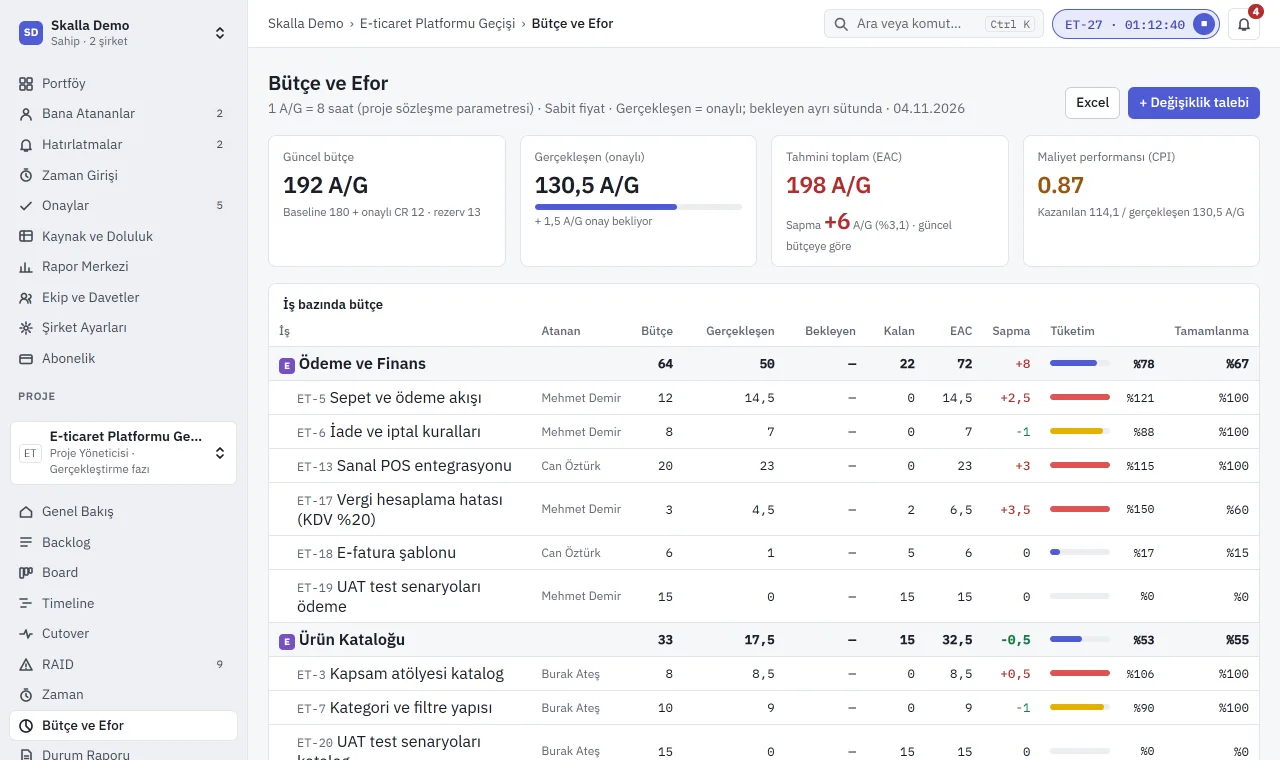
Every approved hour is booked to its work item in man-days. Current budget, actuals, pending approval, estimate at completion and cost performance per item; when a variance appears, a change request is one click away.
- Fixed price and time-and-materials
- Baseline, approved CRs and reserve kept apart
- Excel export
Module 04
From backlog to board, your way
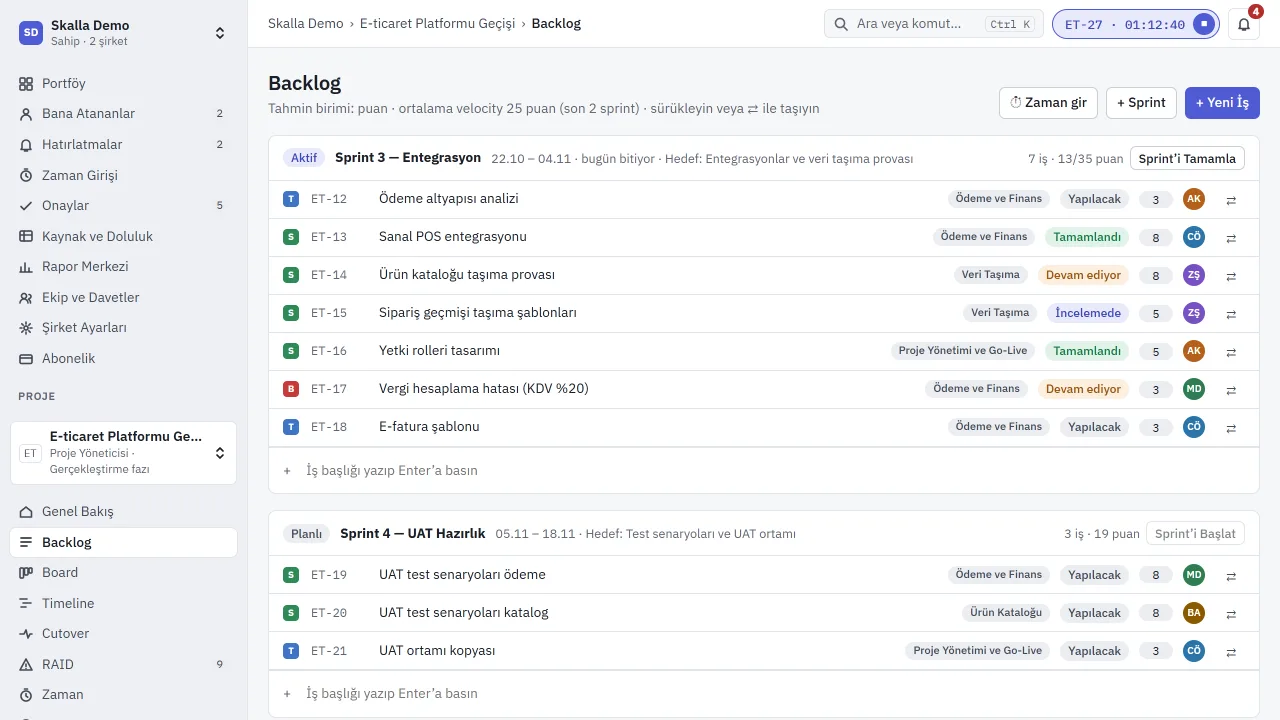
Work is kept as epics, stories, tasks and bugs, grouped by module, team, client or phase. Sprint planning, the board and the timeline all use the same backlog. Team members log time straight from the work item.
- Agile (sprints) or waterfall (phases, milestones)
- Sprint points and progress
- RAID: risks, assumptions, issues, dependencies
Spreadsheets and email versus Cleno
Instead of sheets with conflicting versions and endless email threads, effort, budget and go-live share the same data.
| Job | Spreadsheets + email | Cleno |
|---|---|---|
| Time approval | Merging sheets at month end, approvals lost in inboxes | Weekly submission, one-click approval, period lock |
| Budget variance | Noticed at invoicing | EAC and CPI update with every approval |
| Resource plan | Separate file, invisible across projects | Weekly utilisation, overload alerts |
| Go-live | Shared sheet, times updated by hand | Runbook tied to T0, live forecast finish |
| Risks and decisions | Scattered across meeting notes | RAID log, escalation to steering committee |
| Access and trail | File sharing, unclear who changed what | Role-based access, audit log, two-factor sign-in |
The Skalla product family
Four products, one team.
From Cleno running the project to the sales rep in the field, the apps on your phone and the player taking a break.
-
Cleno
Project management for any industry and any type of project. Every step from backlog to go-live night, with its owner and its cost, on one screen.
Sign in to Cleno -
Skalla CRM
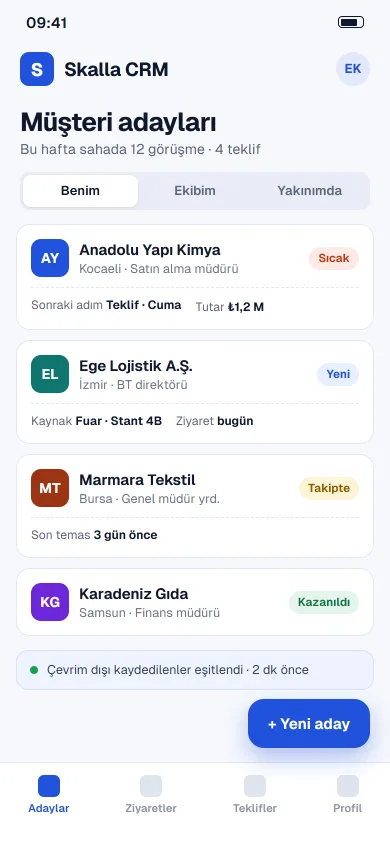
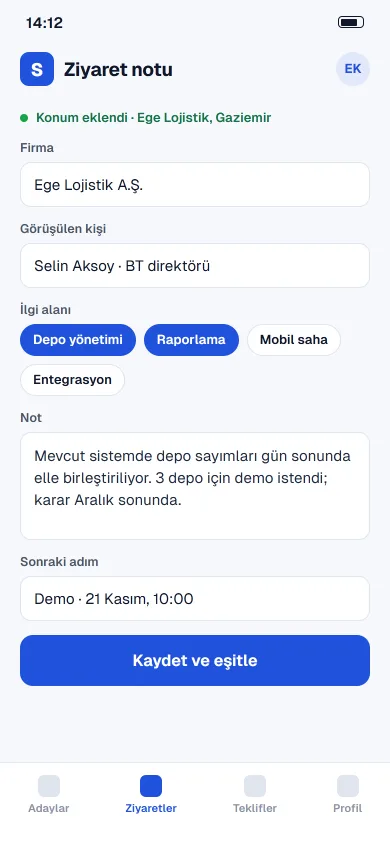
Lead and visit tracking for field sales teams. At a trade fair, on site or at the customer's door, nothing is lost even without a connection.
App Store · link coming soon Google Play · link coming sooniOS · Android
-
Skalla mobile apps
iOS and Android apps for Skalla products. Store links appear here as they are published.
App Store · link coming soon Google Play · link coming sooniOS · Android
-
Game Center
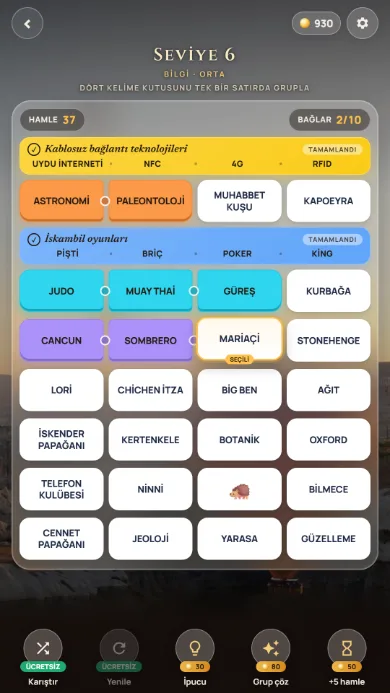
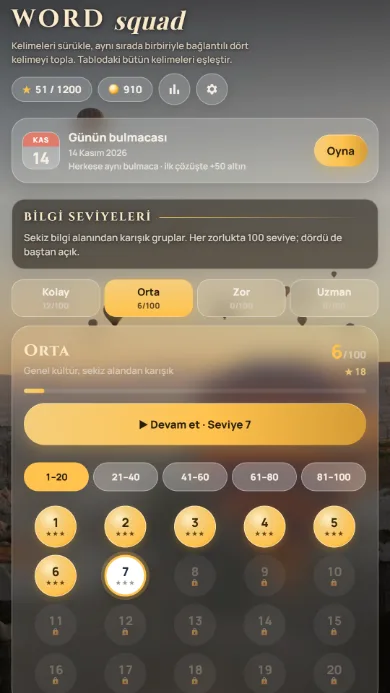
Skalla's iOS and Android games. The first is Word Squad: a Turkish word puzzle where you group four connected words in one row, across 400 levels.
App Store · link coming soon Google Play · link coming sooniOS · Android
Frequently asked questions
Anything else? Write to support@conselus.ai.
What is Cleno?
Cleno is a web-based, multi-tenant project management application built for project-based teams. It brings portfolio health, backlog and sprints, time entry and approval, resource utilisation, budget and go-live plans together in one place. It is not tied to an industry or a technology. It is developed by Skalla and runs on conselus.ai.
Who is Cleno for?
Any team that delivers projects while tracking hours and budget. Those who benefit most: IT and software services firms, system integrators (ERP, CRM, data), management and technical consultancies, digital agencies, engineering and project offices, and in-house PMOs and IT departments. Project managers, team members, executives and client-side guests all use the same app.
How are go-live (cutover) plans managed in Cleno?
Any hour-by-hour switchover, such as a system migration, a software release, a move or a launch, is planned as a runbook relative to T0, with an owner, dependencies, duration and planned times for every step. Rehearsals and the go-live run separately; as actual times are entered, the forecast finish and delay update automatically and rehearsals can be compared.
How are effort and budget tracked?
Team members enter time weekly and submit it for approval. Approved hours are booked as man-days to the work item and project. The budget view shows current budget, actuals, pending approval, estimate at completion (EAC) and cost performance index (CPI) per work item.
Where is our data stored and how is it protected?
Data is stored in a PostgreSQL database in the European Union (Frankfurt). Each company's data is isolated with row-level security. Accounts can use two-factor authentication (TOTP) and critical actions are written to an audit log. The interface is in Turkish.
What is Game Center?
Game Center is the home of Skalla's iOS and Android games. The first game, Word Squad, is a Turkish word puzzle where you group four connected words in one row.
Plan your next project in Cleno.
Create an account, or let's book a 30-minute demo with your team.